

Available Alert Channels
Communication Platforms
Incident Management
Custom Integrations
Managing Alert Channels
Channel Configuration Overview
Configure channels with flexible subscription and filtering options: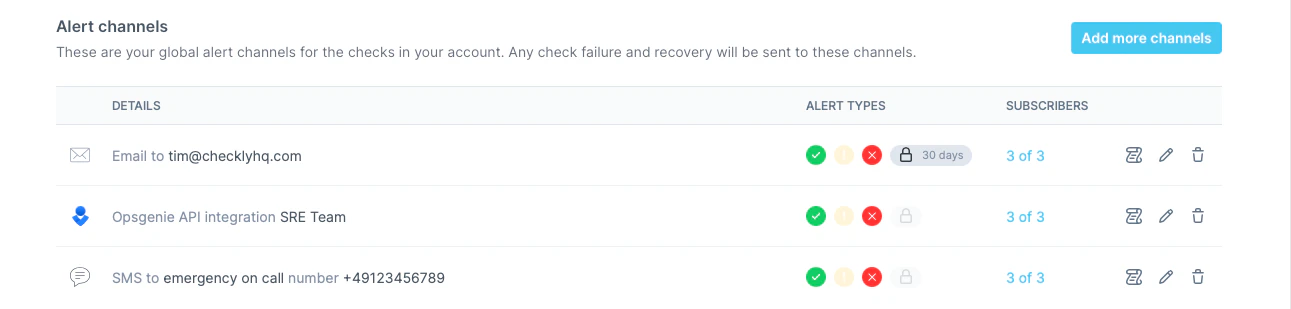
Using variables and secrets in channel configs
Any literal-secret field in an alert-channel configuration — webhook URL, API key, bearer token, PagerDuty service key, and so on — accepts a reference to an account environment variable or secret using{{NAME}} syntax. The channel UI also lets you promote an inline value to a secret without leaving the page.
Using environment variables and secrets in this channel’s configAny literal-secret field in this alert channel — webhook URL, API key, bearer token, service key, etc. — accepts a variable or secret reference using the familiar Handlebars syntax:
{{MY_VARIABLE}}.You can also promote a value to a secret directly from the field: type the literal value, click the lock icon next to the input, and choose a name. The value is stored as an encrypted account secret and is never re-displayed in the UI.